Product
The whole scheduling loop, one platform.
Forecasting, auto-scheduling, live operations, time and attendance, leave, and analytics. Built around one board your whole team reads.
The board
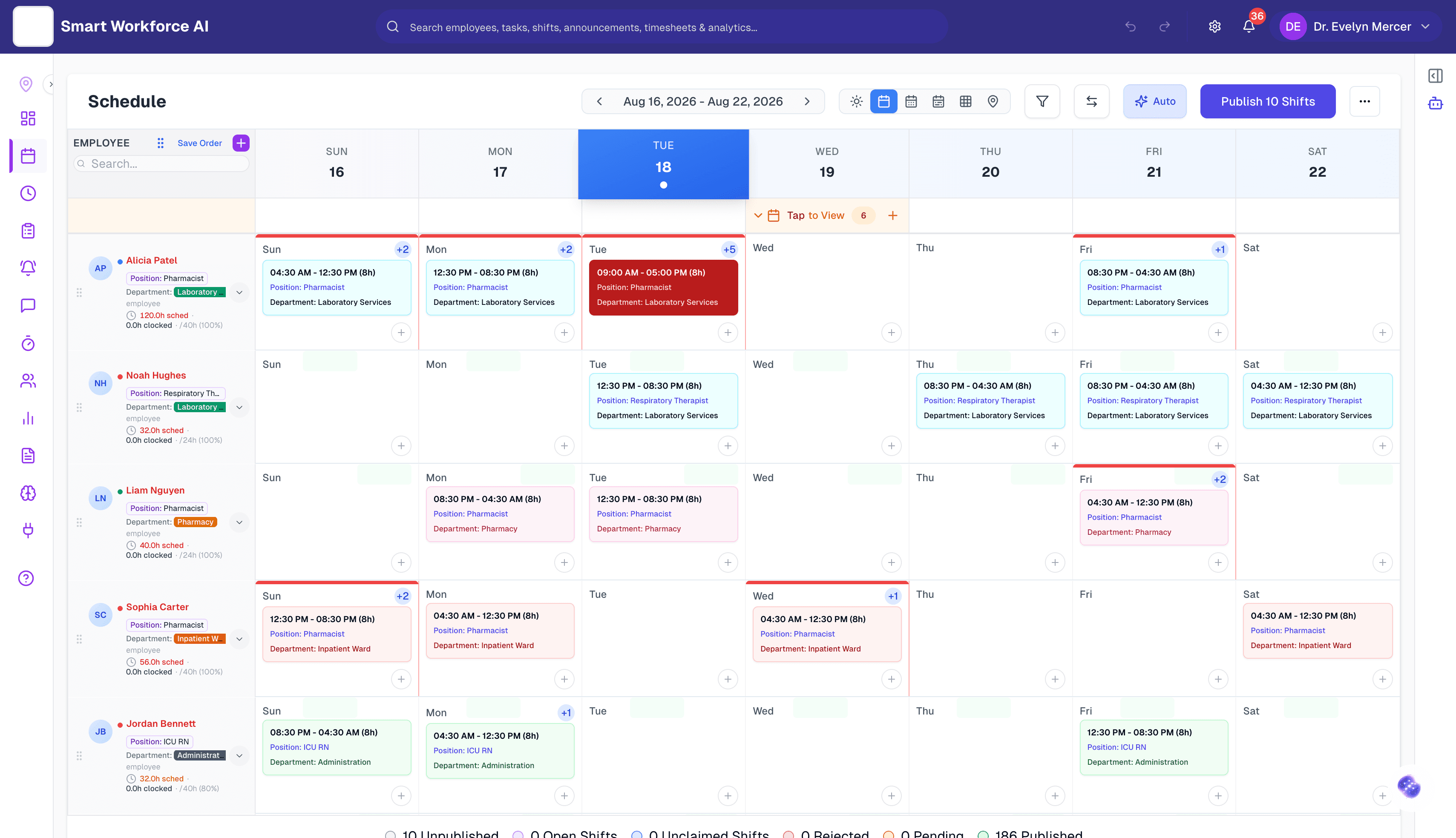
One week. Every department. No surprises.
Colour is state: healthy, watch, conflict. The board reads at a glance because the platform already did the reading.
The loop
Forecast it. Build it. Run it. Learn from it.
Four chapters, one loop. Every screen below is the real product.
01
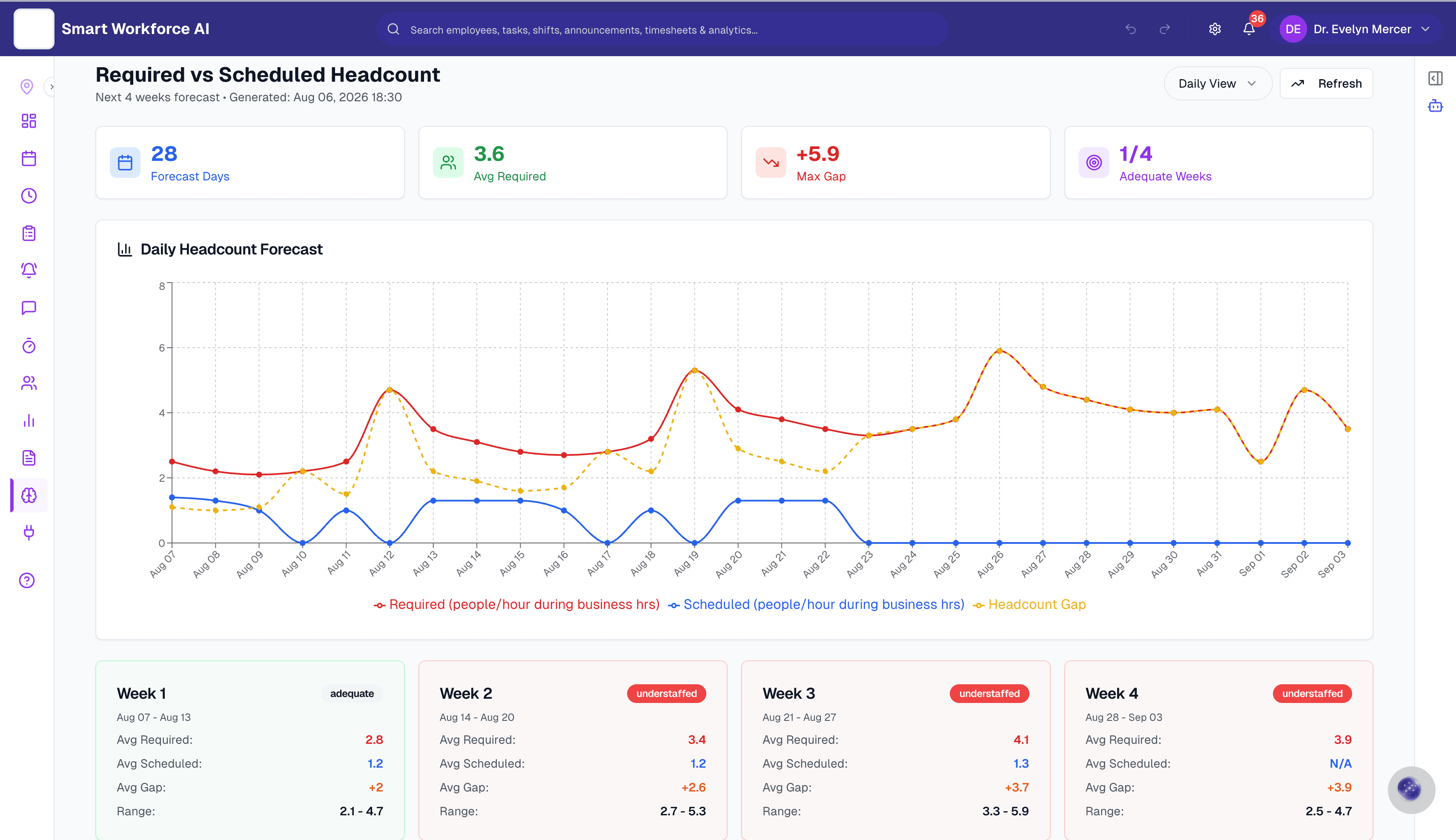
Know you are short before it hurts.
SAIA reads demand four weeks ahead, hour by hour, and holds it against the roster you actually have. When week three is understaffed by four people a day, you find out today, not at six in the morning when it lands.
Week 3 · understaffed +3.7
02
A roster that builds itself.
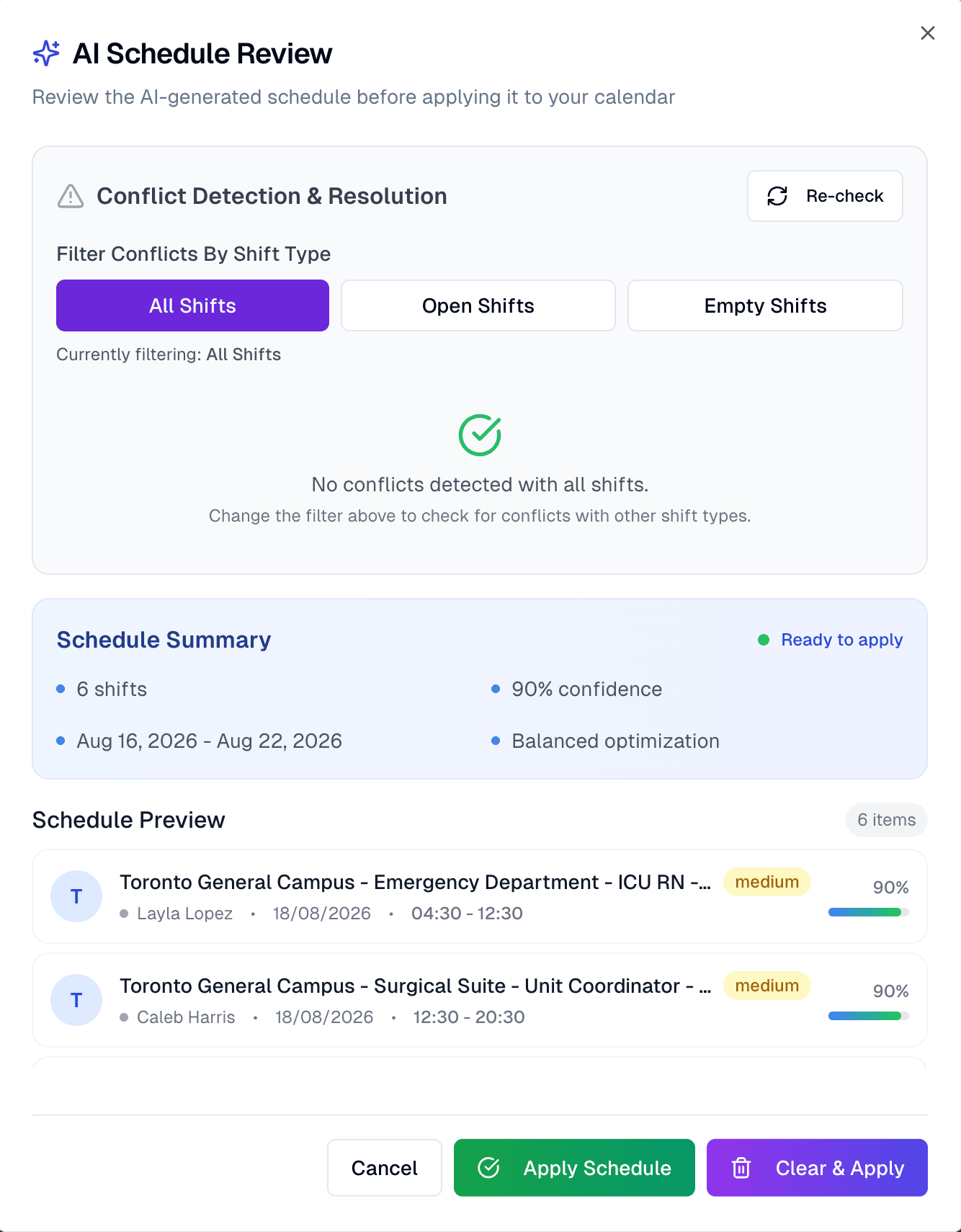
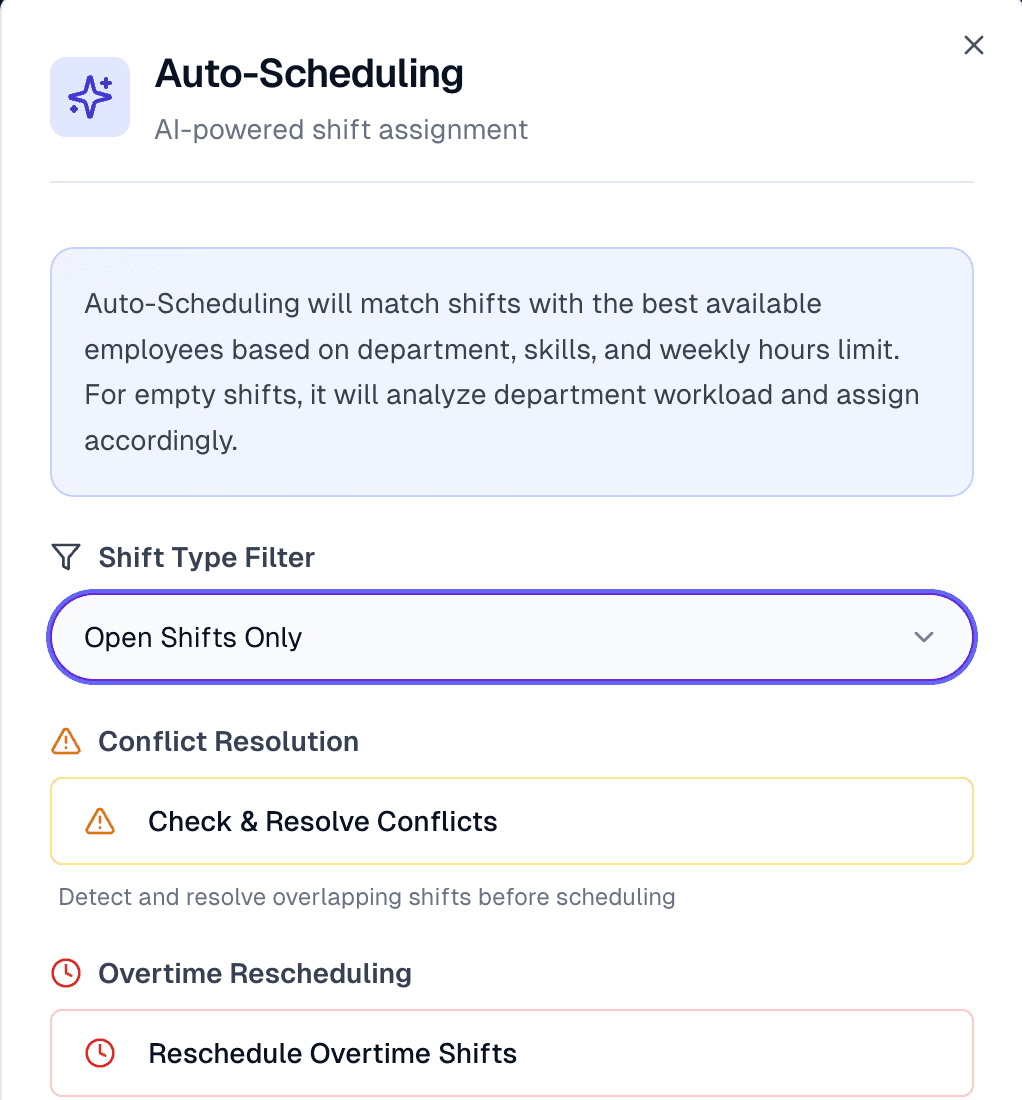
Auto-scheduling matches every open shift to the best available person by department, skills, hours, and cost. You review a ranked plan with its confidence score and conflict check, then apply it in one click. The AI proposes; you decide.
6 shifts · 90% confidence · 0 conflicts
03
The day never goes to plan. The plan keeps up.
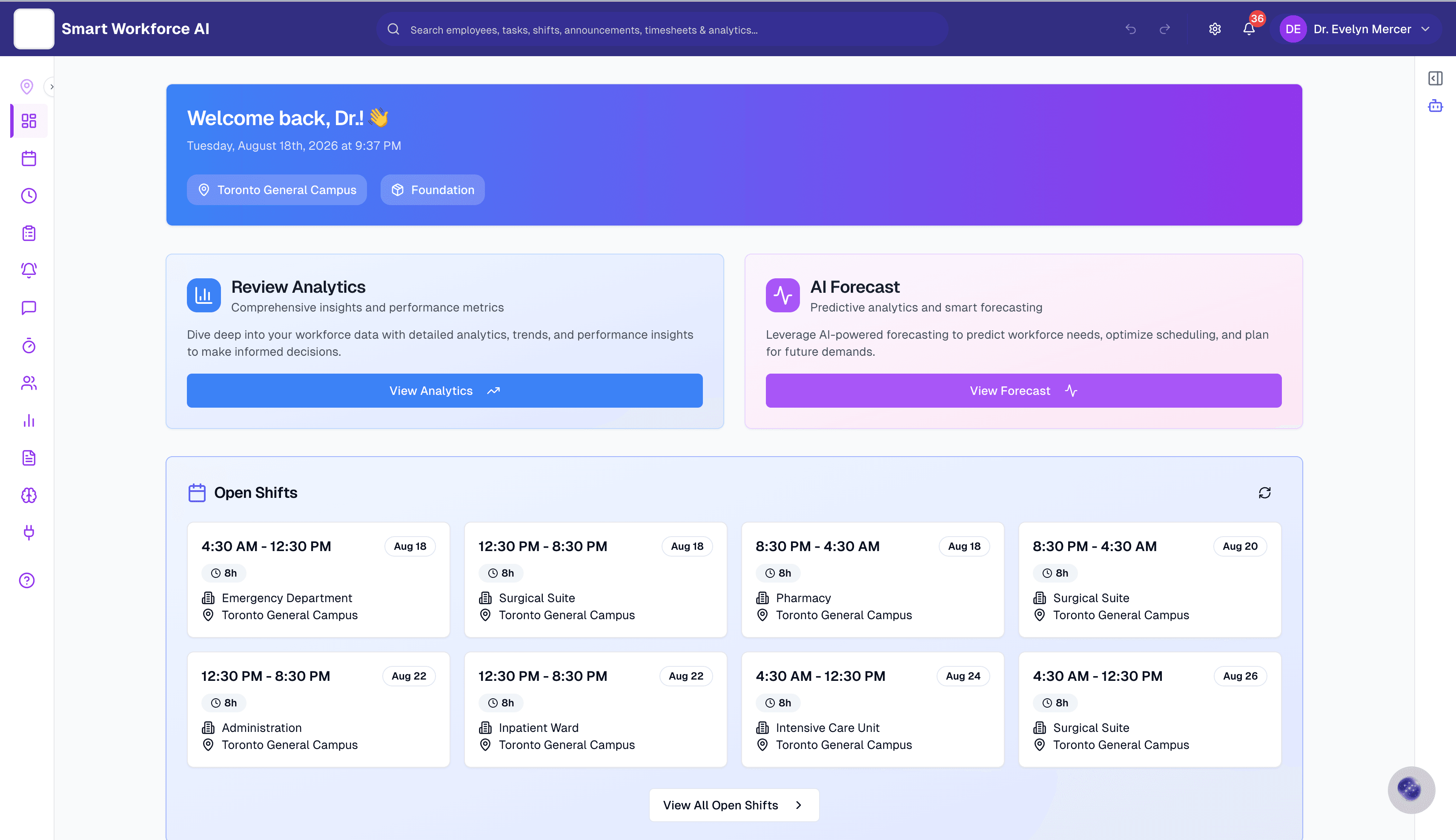
Sick calls, no-shows, and swaps get re-solved in seconds, with cover ranked by availability, hours, and overtime risk. Open shifts go out to the right people, approvals stay with you, and the floor never waits on a spreadsheet.
Live · 8 open shifts
04
Every week gets smarter.
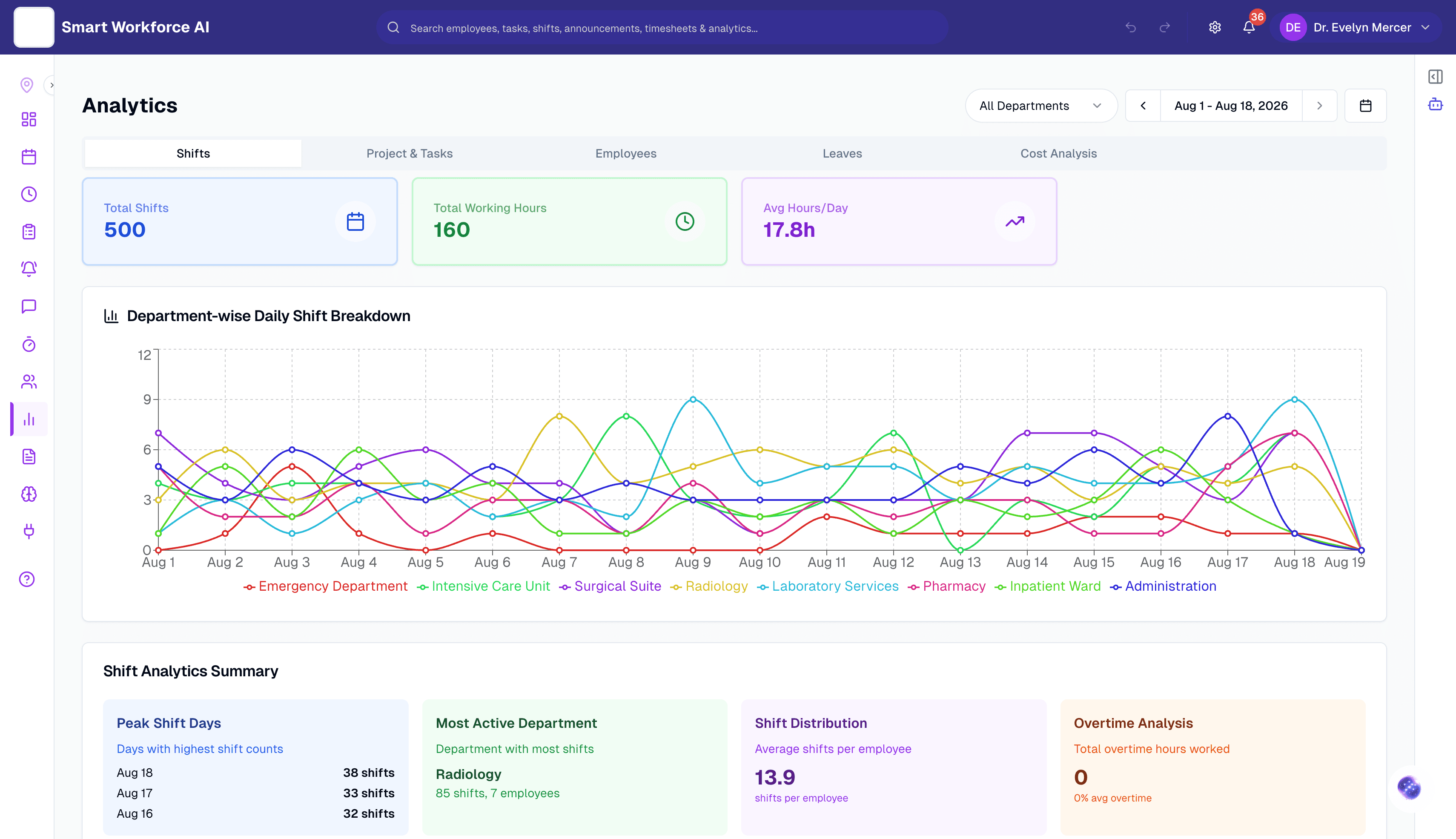
Coverage, hours, and cost by department, with the rough edges made obvious: peak days, overtime creep, who is carrying the load. What you learn feeds straight back into the next forecast.
0h overtime this period
The working parts
Everything the roster touches, in one place.
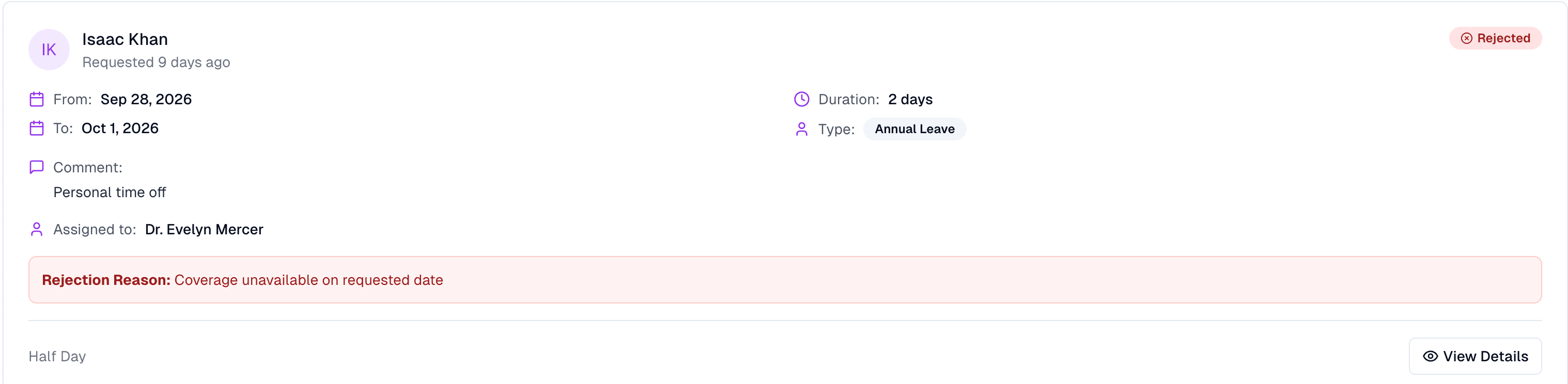
Leave that answers itself
Requests arrive with coverage already checked. Approve, deny with a reason, and the schedule updates itself either way.
Guardrails, not cleanup
Hour limits, break rules, conflicts, and overtime are enforced while the schedule is built, not discovered at payroll.
Time, attendance, timesheets
Clock-ins land against the plan, so scheduled versus actual is one view, not a month-end surprise.
Run it your way
Auto-schedule a day, a week, or a whole range. Fill open shifts only, or rebuild the empty board. The same rules follow every department, every location.
Mobile
The schedule lives in their pocket.
Your team clocks in, sees their week, picks up open shifts, and swaps with approval from their phone. No printouts on the break-room wall, no group-chat archaeology.
App screens landing here soon
✦ SAIA · AI copilot
Ask SAIA. Get an answer you can defend.
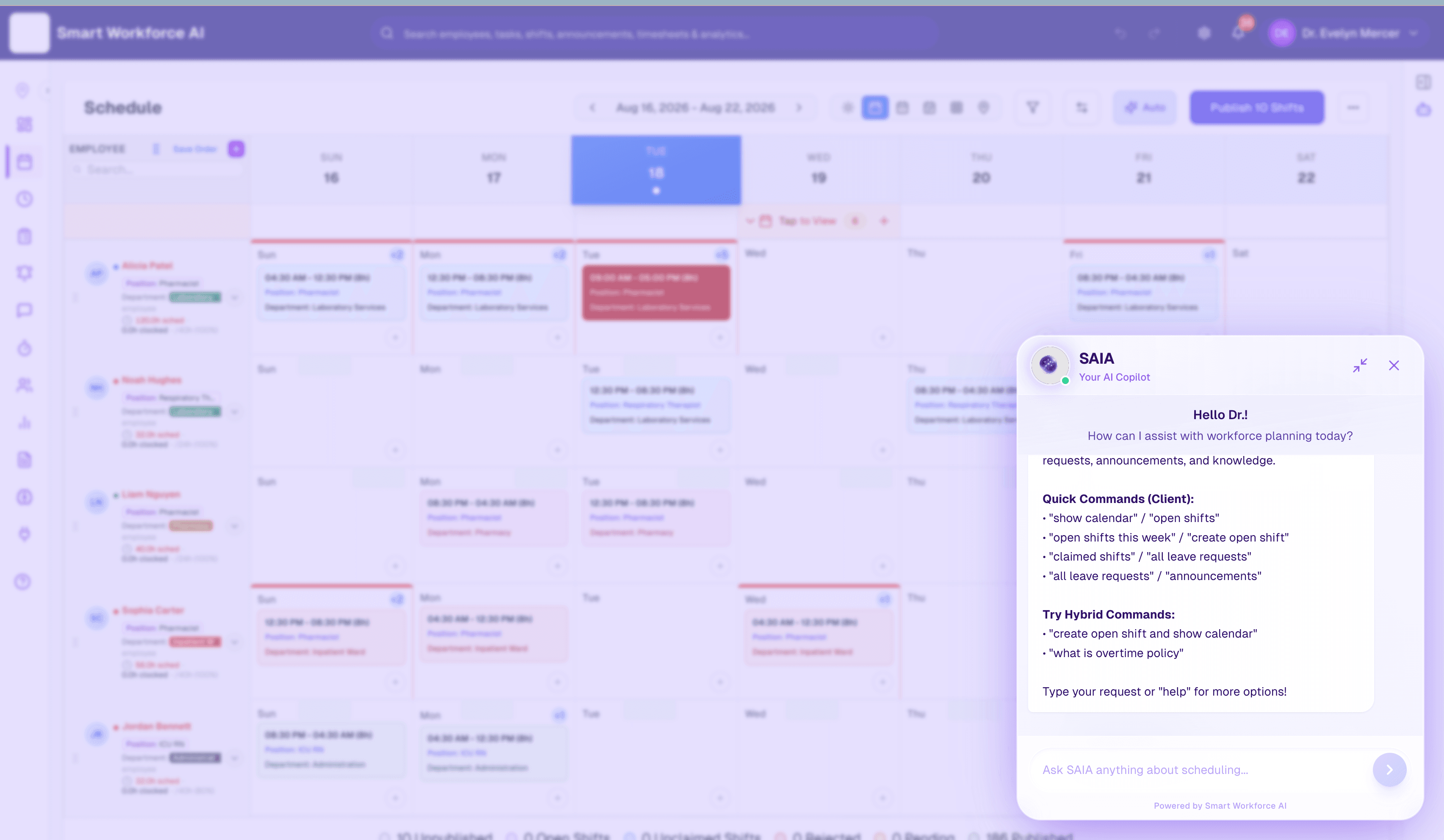
SAIA is the copilot inside Smart Workforce AI. Plain questions in, real actions out: open shifts, leave queues, overtime policy, schedule changes. Every suggestion shows its reasoning, so the answer holds up with your team, your union, and your auditors.
- “Create an open shift and show the calendar”
- “Who can cover Tuesday nights without overtime?”
- “What is our clopening rule?”
Bring us your worst week.
A thirty-minute walkthrough on a schedule shaped like yours. If it does not hold up, you have lost half an hour.